How to Create Digital Products to Sell
In this article
You can create a sellable digital product this weekend. No design degree. No expensive software. No inventory. The barrier is lower than most creators realize — the products that outsell everything else are usually the simplest ones to build. This guide walks every step: picking the right product type, validating demand before you build, creating it with free tools, and listing it on a platform that already has buyers.
What You’ll Need
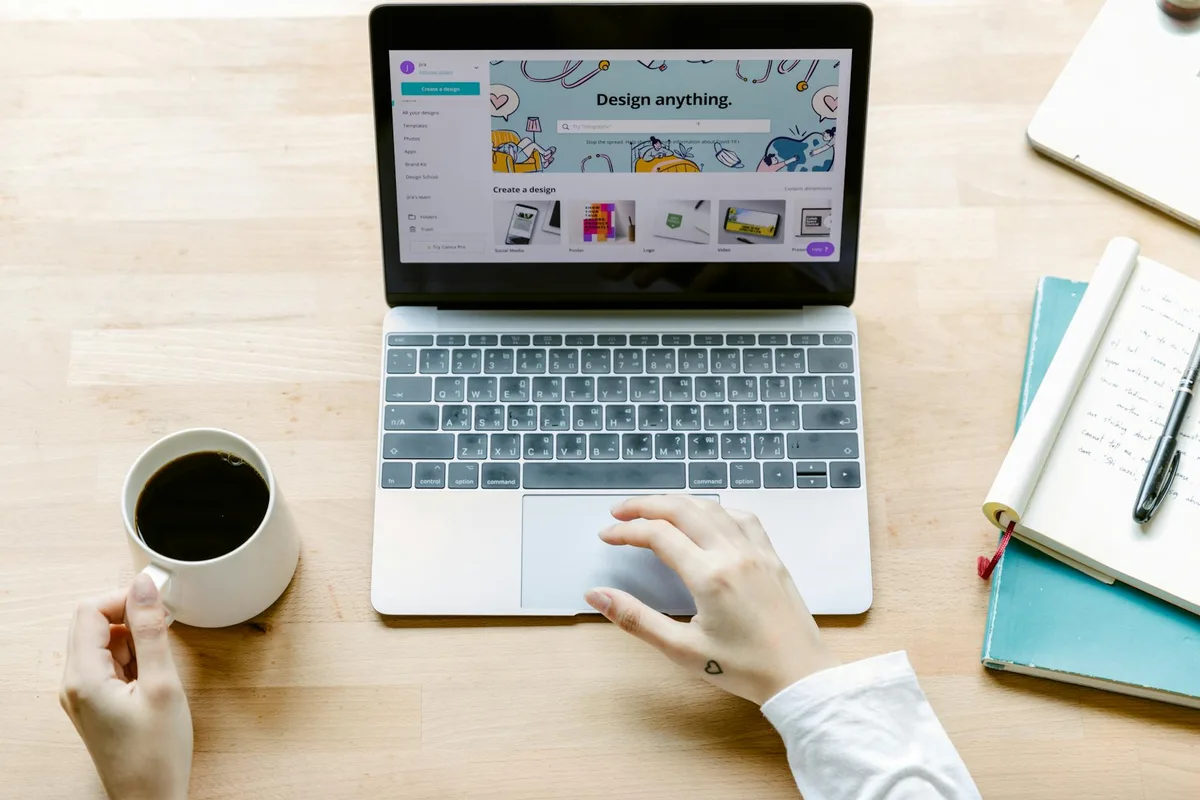
- A free Canva account — handles templates, printables, ebooks, and most visual products; Canva Pro ($15/mo) adds premium fonts and templates but is not required to start
- A product idea — covered in Step 1 if you are still deciding
- A platform account — Etsy, Gumroad, or Payhip (all free to join; fees apply per sale)
- A PayPal or linked bank account for payouts
- 4–10 hours for your first product (templates typically run 4–6 hours; ebooks and guides run 8–15 hours depending on length and depth)
Step 1: Choose the Right Digital Product Type for Your Skills
Most creators stall here. They have a vague sense of “selling something” but no product type locked in.
Five categories consistently sell across platforms:
| Product Type | Creation Difficulty | Typical Price Range | Best Starting Platform |
|---|---|---|---|
| Printables (planners, trackers, worksheets) | Easy | $3–$14.97 | Etsy |
| Canva templates (social media, branding kits) | Easy–Medium | $5–$29 | Etsy, Creative Market |
| Ebooks and PDF guides | Medium | $7–$47 | Gumroad, Payhip |
| Notion templates | Medium | $5–$39 | Gumroad, Etsy |
| Spreadsheet templates | Medium | $9–$49 | Etsy, Gumroad |
Price ranges based on current active listings across each category, verified by browsing top-selling products on Etsy and Gumroad.
Pick based on what you already have: skills, knowledge, or assets you can package. A designer with Canva experience builds templates faster than a spreadsheet expert would. A teacher with structured knowledge produces a solid ebook faster than a visual design piece.
If you have no strong lean: printables have the lowest creation barrier. A functional planner page in Canva takes 2–4 hours to build and sells well on Etsy’s established marketplace. Browse Etsy’s digital product categories to calibrate what buyers in your target category expect at different price points.
For a broader look at categories with real search demand behind them, see 100+ Digital Product Ideas With Demand Data.
Step 2: Validate Demand Before You Build
Creating a product nobody wants is the most expensive mistake in digital products — not financially, but in time.
Before building, check three things:
1. Search volume on Etsy. Go to Etsy’s search bar and type your product idea. Look at the number of results and the “bestseller” badges on top listings. As a rough guide, a category with thousands of results and multiple bestsellers signals proven demand. A handful of results with no bestsellers usually signals either a thin niche or low demand — you need to distinguish which before committing.
2. Keyword volume outside Etsy. Use the free tier of a keyword tool (Ubersuggest, Google Keyword Planner, or Ahrefs Webmaster Tools) to check monthly search volume for your product terms — “printable budget planner,” “Canva Instagram template,” “Notion habit tracker.” As a rough starting threshold, a few hundred monthly searches or more suggests an accessible market. Single-digit or low-double-digit monthly searches typically means the audience is too thin for a first product.
3. Active competitors with reviews. Find 3–5 listings in your category with a meaningful review count — several dozen or more. That tells you the product type converts — real buyers found it, paid for it, and cared enough to leave feedback. If you cannot find any reviewed listings in the category, it may be too new or too niche.
This validation takes 30–60 minutes. It can save 10+ hours on a product that would not have sold.
Step 3: Create Your Product Using Free Tools
The tool depends on the product type.
For printables and Canva templates: Canva’s free tier handles both. Open a blank document, set dimensions for your use case (A4 for printables, 1080×1080 for social templates), and build from a blank canvas or adapt an existing Canva template.
Focus on function first, aesthetics second. A planner that works beats a planner that looks beautiful but has no usable space. Browse top-selling Etsy listings for your category and read the reviews — customers describe exactly what they value and what they wish were different. That is free product research.
For ebooks and PDF guides: Canva’s document format or Google Docs both work. Write in Docs, import into a Canva ebook template for layout, then export as PDF. Keep formatting clean: one header per section, short paragraphs, consistent spacing throughout.
For Notion templates: Build directly in Notion. Set up your database or page structure, then use Notion’s duplicate-link feature for delivery. Keep the template as clean as possible — buyers want a starting point, not a filled-out example.
For spreadsheet templates: Google Sheets or Excel both work. Lock formula cells so buyers cannot accidentally break them (Format > Protection in Google Sheets). Add an “Instructions” tab that explains what each column does and how to customize — this single addition significantly reduces post-purchase support questions.

The target for any first product: clean, functional, and obviously useful. A 6-page printable tracker you ship in week one beats a 20-page masterpiece you are still perfecting three months later.
Step 4: Set Up Your Deliverable File Correctly
How you package the file matters as much as the file itself. Wrong format = refund requests.
File format by product type:
- Printables → PDF only. Never deliver editable files (PPTX, DOCX, or Canva share links) for printables unless explicitly listed as editable. PDFs print reliably, look consistent across devices, and cannot be accidentally modified.
- Canva templates → Canva template share link, not a PDF. Buyers need to duplicate the design into their own Canva account to edit it. Include the link in the purchase confirmation or a delivery PDF.
- Ebooks → PDF. Use full-width layouts; avoid narrow text columns that become unreadable on mobile.
- Notion templates → Notion duplicate link. Include a short set of written instructions for how to duplicate, because a surprising number of buyers are new to Notion.
- Spreadsheets → .xlsx file (not a Google Sheets link). Universal compatibility — buyers on Excel can open it without a Google account.
File naming: Use descriptive names buyers will recognize in their downloads folder. Monthly-Budget-Tracker-2026.pdf is better than file_v3_final.pdf. Small thing, but it reduces “where did my file go?” support messages.
Multi-file products: Zip them. Include a short README.txt inside the zip with setup instructions. If anything requires a special step (a Canva link, a Notion invite), put that step first.
Step 5: Choose Your Selling Platform
Three platforms cover most first-time digital product sellers:
Etsy — best for printables, templates, and visual products. Built-in marketplace traffic from Etsy’s own search engine. Charges $0.20 per listing plus a 6.5% transaction fee per sale, per Etsy’s published seller fees. No monthly subscription to start. The established buyer base is the primary reason beginners with no existing audience start here.
Gumroad — best for ebooks, courses, and software tools. No listing fee; takes 10% per sale on the free plan (fee drops with transaction history). Setup is simpler than Etsy. Less built-in traffic, so it works better when you have an existing audience — an email list, social following, or newsletter — to send directly to your product page.
Payhip — similar positioning to Gumroad with a 5% fee on the free plan. Worth considering if you plan to sell direct to your own audience and want slightly better margins at lower volume.
For a full comparison of fees and platform fit across more options, see Best Platforms to Sell Digital Products and Where to Sell Digital Products for Free.
First-product recommendation: If you have no existing audience, start with Etsy. The built-in search traffic means you are not entirely dependent on your own marketing when your shop is brand new.
Step 6: Write Your Listing and Price It Correctly
The listing is where most creators leave money on the table.
Title: Lead with the keyword buyers search for, not a creative name. “Printable Weekly Budget Planner — Minimalist A4 PDF Instant Download” outperforms “The Clarity Planner” in search results every time. Include format (PDF, Canva template), use case, and style in the title.
Description: Open with what the product does and who it is for. Then list exactly what is included: file count, page count, formats. Then answer the top three pre-purchase questions buyers have: Can I print this at home? What size is it? What software or account do I need?
Photos (for Etsy): You need at least 3 listing images. The first image determines whether buyers click. Show the product in use — a mockup of the printed page with a pen next to it, or a screen preview of the Canva template open in a browser. Free mockup tools like Canva’s built-in mockups or the Smartmockups free tier work well.

Pricing: Most first-time sellers underprice. A functional printable bundle priced at $4.97 and a comparable one at $9.97 can convert at similar rates, based on seller reports across Etsy community forums — but the higher-priced listing earns twice the revenue per sale and signals higher quality to buyers scanning through results.
Approximate pricing benchmarks based on active listings across each category:
- Single printable pages: $2.50–$4.97
- Printable bundles (5+ pages): $7–$14.97
- Canva templates (single): $5–$9.97
- Canva template packs (5+): $14.97–$29
- Ebooks (under 30 pages): $7–$14.97
- Ebooks (30+ pages): $14.97–$47
Start at the midpoint of your category range and adjust based on conversion data, not gut feeling.
Step 7: Publish and Drive Your First Sale
Publishing is not the same as selling. New Etsy shops have no reviews and no search history — organic traffic takes time to build. Here is what to do immediately after publishing:
Share to one warm audience. Post the listing link somewhere people already know you: your Instagram story, your email list, a relevant Facebook group or subreddit where self-promotion is permitted. One early sale that leads to a review changes the trajectory of the listing.
Optimize listing tags. Etsy allows 13 tags per listing. Use all 13. Mirror the language buyers actually use: “printable budget tracker,” “weekly planner PDF,” “A4 planner printable.” Check top-performing listings in your category and note the phrases used across multiple bestsellers — that is keyword signal.
Watch your stats. Etsy’s Shop Manager shows views, favorites, and conversion rate per listing. Views but no sales points to pricing or image issues. Almost no views at all points to title or tag issues. Both are fixable in under an hour once you know which problem you are solving.
Ask for your first review. After each sale, Etsy automatically sends a review request to the buyer. You can also add a custom note in your order confirmation message. A single 5-star review from your first sale meaningfully improves click-through on subsequent impressions.
Common Mistakes to Avoid
1. Building before validating. Spending 10 hours creating a product without checking search demand first is the single most common mistake. The validation check in Step 2 takes 30–60 minutes. Do it before touching Canva.
2. Wrong file format for the product type. Sending an editable PPTX when buyers expected a PDF, or a raw Google Sheets link when buyers expected a downloadable file, generates refund requests and negative reviews. State the file format explicitly in your listing title and description — every time.
3. Pricing too low to sustain. Pricing at $1.99 feels like a competitive move, but it signals low quality to browsing buyers and leaves no margin for running a sale promotion later. Start at the midpoint of your category range, price test after your first 10 sales, and adjust based on conversion rate data.
4. Skipping listing mockups. A listing image that shows a raw PDF on a plain white background converts at a small fraction of the rate of a listing that shows the product in context — printed and placed on a desk, or displayed on a styled device screen. Mockups take 20 minutes to create using free tools. Do not skip them.
Frequently Asked Questions
How do I create digital products to sell?
Creating a digital product follows four steps: choose a product type that matches your skills (printables, templates, ebooks, Notion tools, or spreadsheets); validate demand using Etsy search and keyword volume data before building; create the product in Canva, Google Docs, or Notion using free tools; then list it on Etsy, Gumroad, or Payhip with a keyword-optimized title, clear description, and mockup photos showing the product in use.
What is the easiest digital product to create and sell for beginners?
Single-page printables — planners, budget trackers, habit trackers — have the lowest barrier to entry. A functional A4 planner page takes 2–4 hours to build in Canva’s free tier. It exports as a PDF, which is the simplest file format to deliver and requires no special buyer setup. Listing it on Etsy for $4.97–$9.97 puts it in front of a marketplace that already has buyers searching for exactly that product.
Do I need design skills to create digital products?
No. Canva’s free tier includes hundreds of editable templates for planners, social graphics, ebooks, and presentations. Basic layout sense — clean fonts, consistent spacing, adequate white space between elements — matters more than technical design skill. Most successful printable and template sellers on Etsy learned Canva within a week before listing their first product.
How long does it take to create a digital product?
For a printable or simple Canva template: 4–8 hours total, including design, creating mockup photos, and writing the listing. For an ebook or structured guide: 10–20 hours depending on content depth and length. First sales on Etsy typically come within 2–6 weeks as the listing accumulates impressions and search history. First sales on Gumroad depend almost entirely on how quickly you can send traffic from your own audience to the product page.
How much does it cost to start selling digital products?
The minimum cost to list and sell on Etsy is $0.20 per listing plus a 6.5% fee per sale — no monthly subscription required. Gumroad takes 10% per sale on the free plan. Canva is free for standard use. Total cost for your first listing can be as low as $0.20. Canva Pro ($15/mo) and premium mockup tools are optional and not needed to make your first sale.
Keep Reading
What to Do Next
Choose the path that fits where you are right now.
Score Your Ideas
Answer a few questions about your skills, audience, and goals. Get a product type and selling platform matched to you.
Take the QuizGet Weekly Tactics
One tip, one tool, one case study. Every Tuesday.
Free. No spam. Unsubscribe anytime.