How to Sell My Music Online
In this article
You made the music. Now you need somewhere to sell it.
Most artists get stuck on one question: sell tracks directly to fans, distribute for streaming royalties, or both? Pick wrong and you either hand a platform a bigger cut than it earns, or you miss the listeners already searching for you on Spotify.

This guide covers every real path to selling music online in 2026: direct-to-fan platforms like Bandcamp, streaming distributors like DistroKid and TuneCore, and direct download sales through Gumroad or Payhip. Each has a different fee structure, a different audience, and a different answer to who owns the buyer relationship.
What you need to start: finished, mastered audio files, cover art, and a decision about whether you want streaming royalties, direct sales, or both running at the same time. Nothing else is required before your first release goes live.
Which Platforms Let You Sell Your Music Online?
Selling music online falls into three models: direct-to-fan sales (Bandcamp, Gumroad, Payhip) where you keep the buyer relationship and set your own price; streaming distribution (DistroKid, TuneCore, CD Baby) which places your music on Spotify, Apple Music, and other services for royalty income; and promotion-first platforms (SoundCloud) built for discovery rather than checkout. Most independent artists combine at least two of these.
These are not competing choices. They solve different problems.
Direct-to-fan sales work when you already have people who want to support you specifically, not just hear your music passively. A $10 name-your-price album on Bandcamp from a fan who already follows you converts far better than the same fan streaming your album a few hundred times.
Streaming distribution works when discovery matters more than margin. Spotify and Apple Music will not accept uploads directly from an artist. You need a distributor in between, and that distributor’s royalty split, release timeline, and playlist-pitching tools become part of your strategy.
| Model | Platforms | You Control | Discovery |
|---|---|---|---|
| Direct-to-fan | Bandcamp, Gumroad, Payhip | Price, buyer relationship, email list | None (bring your own audience) |
| Streaming distribution | DistroKid, TuneCore, CD Baby | Release timing, metadata, playlist pitches | Yes, via platform algorithms and editorial playlists |
| Promotion-first | SoundCloud | Free uploads, community engagement | Yes, but built for discovery, not checkout |
The right combination depends on whether you have an existing audience yet. Read on for the setup process and real cost of each.
How Do You Sell Music Directly to Fans on Bandcamp?
Bandcamp lets artists upload tracks or albums and sell them as digital downloads, streams, vinyl, or merch bundles, with fans able to pay above your set minimum price. Per bandcamp.com/help/bandcamp-fees, the platform takes a revenue share on digital sales that decreases once a release crosses Bandcamp’s lifetime sales threshold. Bandcamp Fridays, fee-waived days the platform runs periodically, are the highest-margin days to launch.
Bandcamp is built for artists who already have some audience, however small. There is no algorithmic discovery pushing your release to strangers. What you get instead is a checkout experience fans trust and a name-your-price model that consistently outperforms a fixed price with an existing fanbase.
Setup steps:
- Create an artist account at bandcamp.com and claim your artist page.
- Upload your mastered audio files (WAV or high-bitrate MP3) as individual tracks or a full album.
- Set a minimum price and enable “name your price” if you want fans to pay more.
- Add cover art, a tracklist, and liner notes or lyrics if relevant.
- Bundle physical merch, like vinyl or cassettes, with the digital download if you have production ready.
- Publish and share your Bandcamp link directly with your existing audience. Bandcamp does not send you buyers on its own.
Bandcamp is the closest thing to running your own storefront without building one from scratch, which is why it pairs well with the direct download platforms covered later in this guide.
How Do You Get Your Music on Spotify, Apple Music, and Streaming Platforms?
To stream on Spotify or Apple Music, you need a digital distributor, since neither platform accepts uploads directly from artists. DistroKid, TuneCore, and CD Baby are the three most-used distributors, and each passes through the royalties streaming platforms generate per play. None of the three take ownership of your masters.
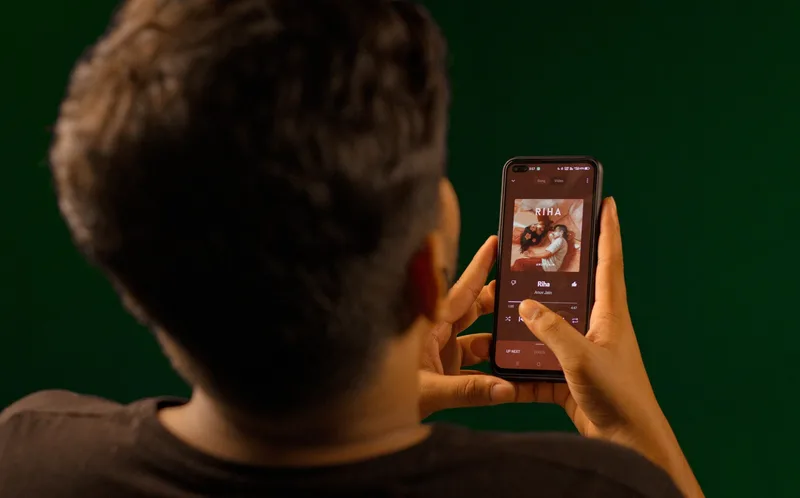
A distributor is a middleman with one job: deliver your files, metadata, and cover art to every major streaming service correctly and on time. You upload once, and the distributor pushes your release to Spotify, Apple Music, Amazon Music, YouTube Music, and dozens of smaller services simultaneously.
What this process actually looks like:
Step 1: Prepare your metadata. This means the exact spelling of your artist name, track titles, songwriter and producer credits, and genre tags. Errors here are the most common reason releases get delayed or rejected.
Step 2: Choose a release date with lead time. Submit your release at least two to four weeks before your target date, per general guidance published in Spotify for Artists. This window gives the distributor time to deliver your release to every platform and gives you time to pitch playlists before launch.
Step 3: Submit for playlist consideration. Most distributors include a built-in tool to pitch your unreleased track to Spotify’s editorial team. This only works if you submit before the release goes live, not after.
Step 4: Track royalties as they accrue. Each distributor has its own dashboard showing plays, revenue by platform, and payout schedule. Royalty payments typically arrive on a monthly or quarterly cycle depending on the distributor and platform.
You keep full ownership of your masters throughout this process. The distributor is a delivery and collection service, not a label.
DistroKid vs TuneCore vs CD Baby: Which Distributor Should You Use?
DistroKid and TuneCore both use annual subscription pricing, letting you upload unlimited releases for one recurring fee, while CD Baby traditionally charges a one-time fee per release with no subscription required. Choose a subscription model if you release music frequently; choose CD Baby’s one-time model if you release occasionally and want to avoid a recurring bill.
DistroKid: Annual subscription (check distrokid.com/pricing for current tiers) covering unlimited uploads for the length of your subscription. Fast turnaround to platforms, generally the quickest distributor to go live. Best for artists releasing multiple singles or EPs per year.
TuneCore: Historically offered both an annual subscription and a per-release fee option, with pricing that varies by plan (check tunecore.com/pricing for current rates). Strong track record with sync licensing opportunities and publishing administration add-ons. Best for artists who want distribution plus optional publishing services in one account.
CD Baby: A one-time fee per release with no recurring subscription, plus a percentage the platform keeps on certain sale types (check cdbaby.com/pricing for current rates). Distribution stays active indefinitely after the one-time fee. Best for artists who release rarely and do not want a recurring charge tied to music they released years ago.
The decision comes down to release frequency. An artist dropping four singles a year pays for a subscription either way, so DistroKid’s flat unlimited model usually wins. An artist releasing one album every two or three years often comes out ahead paying CD Baby once per release instead of maintaining an active subscription between releases.
Not sure whether streaming distribution or direct sales fits your situation? Compare every major platform for digital products side by side in our platform comparison guide.
Should You Sell Digital Downloads of Your Music on Gumroad or Payhip?
Gumroad charges a flat 10% fee per sale (per gumroad.com/pricing), and Payhip charges 5% on its free plan or 0% on paid plans starting around $29/month (per payhip.com/pricing). Both let you sell music files directly with no streaming middleman, keeping the majority of each sale and full ownership of the buyer’s email address.
Streaming pays fractions of a cent per play. A direct download sale pays your full listed price, minus the platform’s cut. For an artist with an engaged email list or social following, a $7 to $15 digital album sold directly returns more from a few hundred dedicated fans than the same fans streaming the album for months.
How this works in practice:
- Create a product listing with your mastered files (WAV, high-bitrate MP3, or both).
- Set your price. Digital albums from independent artists commonly list between $5 and $15, based on observed pricing across Gumroad and Bandcamp storefronts, with singles often priced lower or offered as a free lead-in to a full release.
- Add cover art and a description that tells fans what they are getting: track count, format, and any bonus content like liner notes.
- Publish and share the link. Neither Gumroad nor Payhip sends you buyers. This works only if you already have an audience to direct to the listing.
Gumroad and Payhip work best as a companion to Bandcamp rather than a replacement for it: Bandcamp gives fans a familiar music-specific checkout, while Gumroad or Payhip can house bundled downloads tied to a broader digital product strategy, like a full discography pack or a companion zine.
What Does It Cost to Sell Music Online in 2026?
Fee structures range from Gumroad’s flat 10% per sale to DistroKid and TuneCore’s annual subscription with no per-stream cut to CD Baby’s one-time per-release fee. No platform in this guide takes ownership of your masters. Exact dollar amounts and percentages change periodically, so verify current rates on each platform’s own pricing page before committing.
| Platform | Pricing Model | Typical Cost | Best For |
|---|---|---|---|
| Bandcamp | Revenue share on digital sales | Percentage drops after lifetime sales threshold (per bandcamp.com/help/bandcamp-fees) | Fans who already know you |
| DistroKid | Annual subscription | Unlimited uploads per subscription term (per distrokid.com/pricing) | Frequent releasers, multiple singles per year |
| TuneCore | Subscription or per-release fee | Varies by plan (per tunecore.com/pricing) | Artists wanting distribution plus publishing add-ons |
| CD Baby | One-time per-release fee | No recurring subscription (per cdbaby.com/pricing) | Occasional releasers avoiding recurring bills |
| Gumroad | Flat transaction fee | 10% per sale (per gumroad.com/pricing) | Direct downloads to your existing audience |
| Payhip | Tiered plan fee | 5% on free plan, 0% on paid plans from around $29/month (per payhip.com/pricing) | Higher-volume sellers wanting lower fees |

Pricing on every platform in this table changes periodically. Treat these as the structure to compare, not fixed numbers to build a budget around.
What Are the Pros and Cons of Selling Your Music Online Yourself?
Pros:
- You keep creative and financial control over every release, from pricing to cover art to release timing.
- Direct-to-fan platforms return a larger share of each sale than a traditional label deal, where the label typically recoups costs before the artist sees royalties.
- You can run multiple channels at once (streaming for discovery, Bandcamp or Gumroad for direct sales) without exclusivity agreements locking you into one platform.
- Every direct sale builds an email list and buyer relationship you own, independent of any single platform’s algorithm.
Cons:
- There is no built-in marketing budget or radio push. Every listener has to come from your own audience-building effort.
- Recording and mastering costs come out of your pocket upfront, with no advance from a label to offset them.
- Subscription-based distributors charge you whether or not the release generates income that year.
- Managing multiple platforms (streaming metadata, Bandcamp listings, direct download pages) takes ongoing time that a label’s team would otherwise handle.
Frequently Asked Questions
How do I sell my music online for free?
Bandcamp and SoundCloud both let you upload and list music with no upfront cost. Bandcamp only takes its revenue share when a sale actually happens, so there is no listing fee. SoundCloud is free for uploads but is built for streaming and promotion, not direct checkout, so it works better as a discovery channel than a sales channel.
Do I need a distributor to sell music on Spotify?
Yes. Spotify does not accept direct uploads from individual artists. You need a distributor like DistroKid, TuneCore, or CD Baby to deliver your release to Spotify’s system. The distributor also handles delivery to Apple Music, Amazon Music, and other streaming platforms in the same submission.
How much do independent artists make selling music online?
Revenue depends heavily on catalog size, release frequency, and fanbase engagement rather than any single number. Streaming pays a small fraction of a cent per play, while direct sales on Bandcamp or Gumroad return your full listed price minus fees. Artists combining both models typically earn more per dedicated fan than relying on streaming alone.
Can I sell my music on Bandcamp and still distribute it to Spotify?
Yes. Bandcamp and streaming distributors are not exclusive with each other. Many independent artists sell downloads on Bandcamp for direct revenue while simultaneously running the same release through DistroKid or TuneCore for streaming royalties and playlist discovery. There is no platform rule preventing both at once.
Do I own the copyright to music I distribute myself?
Yes, by default. Original recordings and compositions are automatically protected by copyright the moment they are created, per the U.S. Copyright Office’s general FAQ. Registration is not required to distribute or sell your music, though it strengthens your legal position if someone uses your work without permission.
Ready to Choose Your First Platform?
Start with the model that matches your situation, not the platform with the most buzz. If you already have fans who want to support you directly, start with Bandcamp. If discovery matters more right now, submit through a distributor and get onto Spotify and Apple Music.
Compare every option side by side in our platform comparison guide, or read the full walkthrough on how to sell digital products if you are still deciding what to offer alongside your music.
Keep Reading
What to Do Next
Choose the path that fits where you are right now.
Score Your Ideas
Answer a few questions about your skills, audience, and goals. Get a product type and selling platform matched to you.
Take the QuizGet Weekly Tactics
One tip, one tool, one case study. Every Tuesday.
Free. No spam. Unsubscribe anytime.