How to Make Printables to Sell on Etsy
In this article
Making printables to sell on Etsy takes a few hours, not weeks.
You do not need design experience, a paid tool subscription, or an existing audience. You need the right product type, a canvas set to the right dimensions, and a PDF export that meets Etsy’s file requirements. This guide covers all three — and walks you through listing setup so your first product is live before the day ends.

What You’ll Need
- A free Canva account (free tier is enough to start)
- An Etsy seller account (registration is free; Etsy charges $0.20 per listing)
- A printable idea — we’ll help you pick one in Step 1
- 2 to 4 hours for your first product
- A basic mockup image (Canva has free frame templates for this)
Step 1: Choose a Printable Type That Sells on Etsy
Not all printable categories perform equally on Etsy. Before you open Canva, confirm you are designing something buyers are actively searching for.
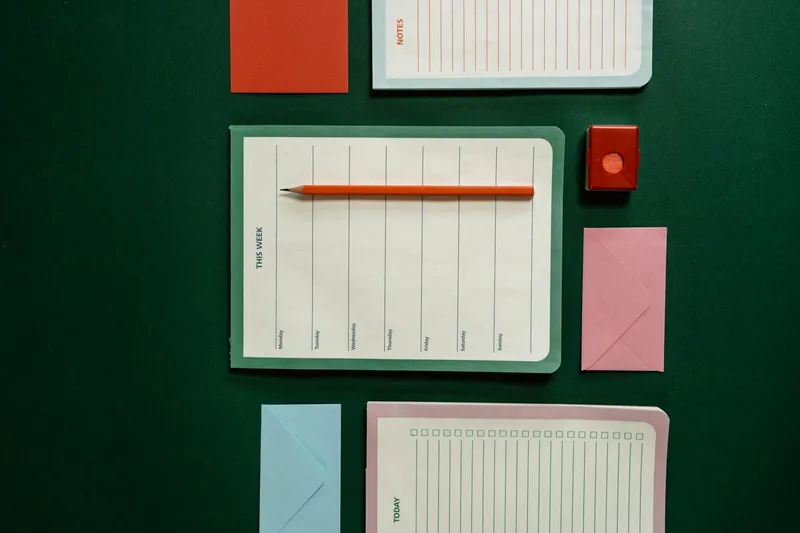
The five printable categories that consistently generate sales on Etsy, based on Etsy seller community reports (r/EtsySellers, Etsy Seller Forums):
| Category | Examples | Typical Price Range | Difficulty to Design |
|---|---|---|---|
| Planners | Weekly planners, budget trackers, meal planners | $3–$12 single, $10–$25 bundle | Low |
| Wall art | Inspirational quotes, botanical prints, nursery art | $2–$8 per print | Low |
| Worksheets | Habit trackers, goal-setting sheets, journaling prompts | $2–$8 per sheet | Low |
| Party printables | Invitations, favor tags, banners, seating charts | $4–$15 per set | Medium |
| Educational printables | Flashcards, coloring pages, activity sheets | $3–$10 per set | Medium |
Price ranges are based on analysis of active Etsy listings in each category; individual results vary by niche specificity and listing quality.
How to validate your idea before designing: Open Etsy, type your product idea into the search bar, and look at the result count. A search returning 50,000–200,000 results shows demand exists. A search returning fewer than 10,000 results may be too niche. A search returning 500,000+ results means the category is saturated — narrow your niche before proceeding. (These thresholds are widely-shared heuristics in the Etsy seller community, per r/EtsySellers discussions; treat them as directional, not exact.)
For a broader list of digital product ideas, see Canva digital product ideas that actually sell.
Step 2: Set Your Canvas Dimensions in Canva
Open Canva and click Create a design → Custom size. Do not start from a Canva template — templates come with pre-set dimensions that may not match standard print sizes, and buyers will notice when something looks off at the printer.
Standard dimensions for the most common Etsy printable types:
| Product Type | Dimensions | Unit | DPI |
|---|---|---|---|
| US Planner page | 8.5 × 11 | inches | 300 |
| A4 Planner page | 210 × 297 | mm | 300 |
| A5 Planner page | 148 × 210 | mm | 300 |
| Standard wall art | 8 × 10 or 11 × 14 | inches | 300 |
| Half-letter worksheet | 5.5 × 8.5 | inches | 300 |
| Party invitation | 5 × 7 | inches | 300 |
In Canva, enter the width and height and set the unit to inches (or mm for A-series sizes). Canva will handle DPI automatically when you export as PDF Print.
Why dimensions matter on Etsy: Buyers print at home using standard paper sizes. A design built at 8.5 × 11 inches prints perfectly on US Letter paper. A design built at a non-standard dimension will have white borders or require the buyer to resize — a common reason for low reviews.
Step 3: Design Your Printable
With your canvas set, design the product. Keep these principles in mind:
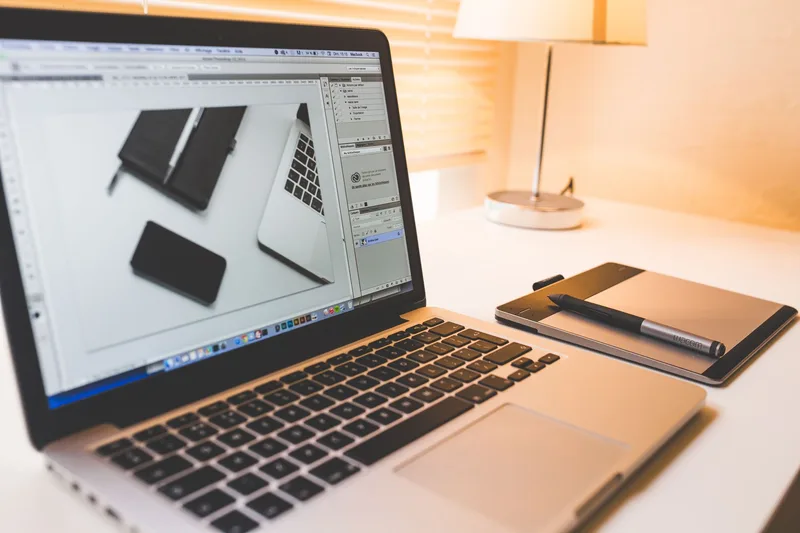
Typography first. Most functional printables (planners, trackers, worksheets) are more typography than illustration. Choose one heading font and one body font. Canva’s font pairing suggestions work well — pick a combination and stay with it.
Leave room for the user. A planner page needs writable space. A habit tracker needs boxes that are large enough to check or fill. Do not pack the design with decorative elements that crowd out usable space.
Grid and alignment. Turn on Canva’s guides (View → Show rulers and guides) and align all elements to the grid. A slightly misaligned border or uneven spacing reads as unprofessional and reduces perceived value.
Color palette. Stick to two to three colors. Etsy buyers who purchase planners and trackers often print at home, where complex color gradients drain ink quickly. Neutral backgrounds with one or two accent colors are safer and cheaper for the buyer to print.
Fonts and licensing. Canva’s free fonts are licensed for commercial use in designs made with Canva. If you upload third-party fonts, confirm they include a commercial license before selling products that use them.
Step 4: Export as a Print-Ready PDF
When your design is finished, export it using Canva’s PDF Print setting — not PDF Standard, not JPEG, not PNG.
Canva export steps:
- Click Share (top right) → Download
- Select PDF Print from the file type dropdown
- Leave crop marks and bleed off unless you designed with bleed
- Click Download
PDF Print produces a high-resolution file (300 DPI equivalent) that prints cleanly on standard home printers and at services like FedEx Office.
What Etsy accepts (per Etsy’s seller help documentation on digital downloads):
- Up to 5 digital files per listing
- Maximum 20MB per file
- Accepted formats: PDF, PNG, JPG, ZIP
Most single-page printables are well under 20MB. Multi-page planners may approach the limit — if your file exceeds 20MB, split the bundle into multiple files and include all in one listing (up to the 5-file maximum), or compress images in Canva before exporting.
For wall art where buyers may want to print at large sizes, export as PNG at maximum quality instead of PDF. PNG at 300 DPI produces sharper results than JPEG at equivalent file sizes.
Step 5: Create Listing Images That Show the Product in Use
Your listing images determine whether a buyer clicks through from Etsy’s search results. The printable file itself is invisible until purchase — buyers make their decision based entirely on your images.
The minimum three listing images:
- Main image: A mockup showing the printable in context — lying on a desk, held in a hand, or displayed in a frame. Canva’s free frame elements work for this.
- Close-up image: A cropped view of the design detail — fonts, layout, section labels — so buyers can confirm it is what they need.
- What’s included image: A plain graphic listing the files in the download (e.g., “PDF, 8.5 × 11 in — US Letter and A4 included”).
How to make a mockup in Canva (free):
- Open a new Canva design (Instagram Post or 1200 × 1200 works well)
- Search “phone mockup” or “paper mockup” in the Elements panel
- Drag your printable design into the frame element
- Add a simple background color or texture
Canva’s built-in mockup frames are free and sufficient for a starting shop. As your shop grows, Placeit (paid) offers higher-quality lifestyle mockups for specific product types like wall art and planners.
Step 6: Upload Your Files to Etsy
Log into your Etsy shop, click Listings → Add a listing, and work through the form:
Title formula:
[Adjective] [Product Type] [Use Case or Audience]
Example: “Printable Weekly Planner — Undated, Monday Start, US Letter”
Include your primary keyword naturally in the title. Etsy’s search algorithm weights title keywords heavily.
Category: Select the most specific category available. For planners: Home & Living → Calendars & Planners → Planners. For wall art: Art & Collectibles → Prints → Digital Prints.
Listing type: Set to Digital download (not physical item). This removes shipping requirements and sets Etsy to deliver your file automatically after purchase.
Price: Most single printable sheets sell for $3–$8. Bundles of 3–5 pages typically price at $8–$18. Avoid pricing below $2 — listings priced that low are often filtered out by buyers who interpret very low prices as poor quality.
Description: Begin with a natural sentence describing what the product is and who it is for. Follow with a bulleted list of what is included (file formats, sizes, page count). Close with printing instructions (recommended paper size, how to print at 100% scale).
Upload your files: Scroll to the Digital files section and upload your PDF (and any additional files, up to 5). Etsy will deliver these automatically to the buyer after payment.
Listing fee: Etsy charges $0.20 per listing. When a listing sells, Etsy charges a 6.5% transaction fee on the sale price, plus a 3% + $0.25 payment processing fee (per Etsy’s published fee schedule). For a $5 printable, total fees amount to roughly $0.75, leaving $4.25.
For a complete breakdown of costs, use our Etsy fee calculator before setting your price.
Step 7: Optimize Your Listing for Etsy Search
A live listing with no search optimization will not surface in results. Etsy’s search algorithm uses title, tags, and category to match listings to buyer searches.
Tags (13 maximum): Use all 13. Each tag should be a phrase a buyer would type, not a single word. Examples:
- “weekly planner printable”
- “printable habit tracker”
- “undated planner pdf”
- “budget tracker printable”
- “printable planner a4”
Repeat your most important keywords from the title in your tags — Etsy’s search uses both.
After publishing: Visit your listing URL in a private browser and search for your target keyword on Etsy. If your listing does not appear in the first two pages within two to three weeks, revisit your title and tags. The most common reason listings do not surface is a title that does not match how buyers phrase their searches.
For more on getting your first sales, see our guide on how to sell printables on Etsy.
Common Mistakes
1. Exporting as JPEG instead of PDF Print
JPEG compression introduces artifacts that are invisible on screen but visible when printed. A planner page exported as JPEG will have blurry text and visible compression squares around fonts. Always export functional printables as PDF Print.
2. Designing in RGB color mode instead of print-appropriate colors
Computer screens display RGB color. Home printers output CMYK color. Bright neon colors that look vivid on screen print as dull or muddy. If your printable uses strong accent colors, test print one page before publishing. Softer tones (dusty blues, warm grays, muted greens) print reliably on most home printers.
3. Pricing under $2 to attract buyers
Very low prices signal low quality to Etsy buyers and compress your margin to near zero after fees. A $1.50 printable generates roughly $0.50 after Etsy’s fees. Starting at $3–$5 for a single-page printable is more defensible and more profitable.
4. Skipping mockup images
A listing with only a raw PDF screenshot has a significantly lower click-through rate than one with a lifestyle mockup. The mockup image is the product as far as the buyer is concerned — it shows them what they are getting and makes the product feel finished. Budget 30 minutes on your first listing to create a basic mockup in Canva.
5. Using too many fonts
New designers often use three to five different fonts in one printable trying to add visual interest. The result reads as cluttered and unprofessional. Pick one display font for headings and one clean sans-serif for body text. That constraint forces hierarchy, not chaos.
Frequently Asked Questions
How long does it take to make a printable to sell on Etsy?
A single-page printable takes 1 to 3 hours for a first-time designer — longer if you are also learning Canva simultaneously. A complete planner with 10 to 15 pages takes a full day. Based on Etsy seller community reports (r/EtsySellers, Etsy Seller Forums), most sellers complete their first listing within a weekend. The listing setup on Etsy adds 30 to 45 minutes on top of design time.
Can I use Canva to make printables to sell on Etsy?
Yes. Canva’s free tier is sufficient for most printable types, and Canva explicitly licenses designs made with their platform (including free-tier elements) for commercial sale. The limitation is that you cannot resell Canva’s built-in templates as-is — your design must add substantial original work. For a walkthrough of the Canva export settings, see how to sell Canva templates on Etsy.
Do printables sell well on Etsy?
Printables are among Etsy’s highest-volume digital product categories. Planners, trackers, and wall art consistently appear in Etsy’s top digital product searches (per Etsy’s own trending category data). Sales velocity depends heavily on niche specificity, listing quality, and the number of listings in your shop — per Etsy seller community reports (r/EtsySellers), sellers with 20+ listings typically see consistent daily sales, while shops with one or two listings may wait weeks.
How much does it cost to start selling printables on Etsy?
The base cost to open an Etsy shop and publish one listing is $0.20 (the listing fee). A free Canva account covers design. If you want a custom domain or advanced mockup tools, expect to spend $0–$30 in your first month. There are no monthly fees on Etsy’s standard plan — you pay per listing ($0.20) and per sale (6.5% transaction fee + 3% + $0.25 payment processing), per Etsy’s published fee schedule.
What printables sell best on Etsy?
Planners (daily, weekly, monthly, budget) and digital wall art are the two highest-volume printable categories on Etsy. Within planners, niche-specific designs consistently outperform generic ones — a “ADHD-friendly daily planner” or “homeschool schedule template” competes with fewer listings than a plain “weekly planner.” Educational worksheets and party printables also sell well but require tighter niche targeting to stand out.
Keep Reading
What to Do Next
Choose the path that fits where you are right now.
Score Your Ideas
Answer a few questions about your skills, audience, and goals. Get a product type and selling platform matched to you.
Take the QuizGet Weekly Tactics
One tip, one tool, one case study. Every Tuesday.
Free. No spam. Unsubscribe anytime.