How to Sell Printables
In this article
Selling printables is the lowest-cost entry into digital products.
No manufacturing. No shipping. No inventory. You make a file once and it can sell hundreds of times. That is why printables remain the most popular starting point for creators who want their first $100 online — the barrier is lower than any physical product, course, or software.
This guide covers the complete process: choosing a platform, creating a product that converts, pricing it correctly, and getting that first transaction without spending money on ads.
What Are Printables and Why Do People Sell Them?
Printables are the simplest format to understand and the fastest to produce.
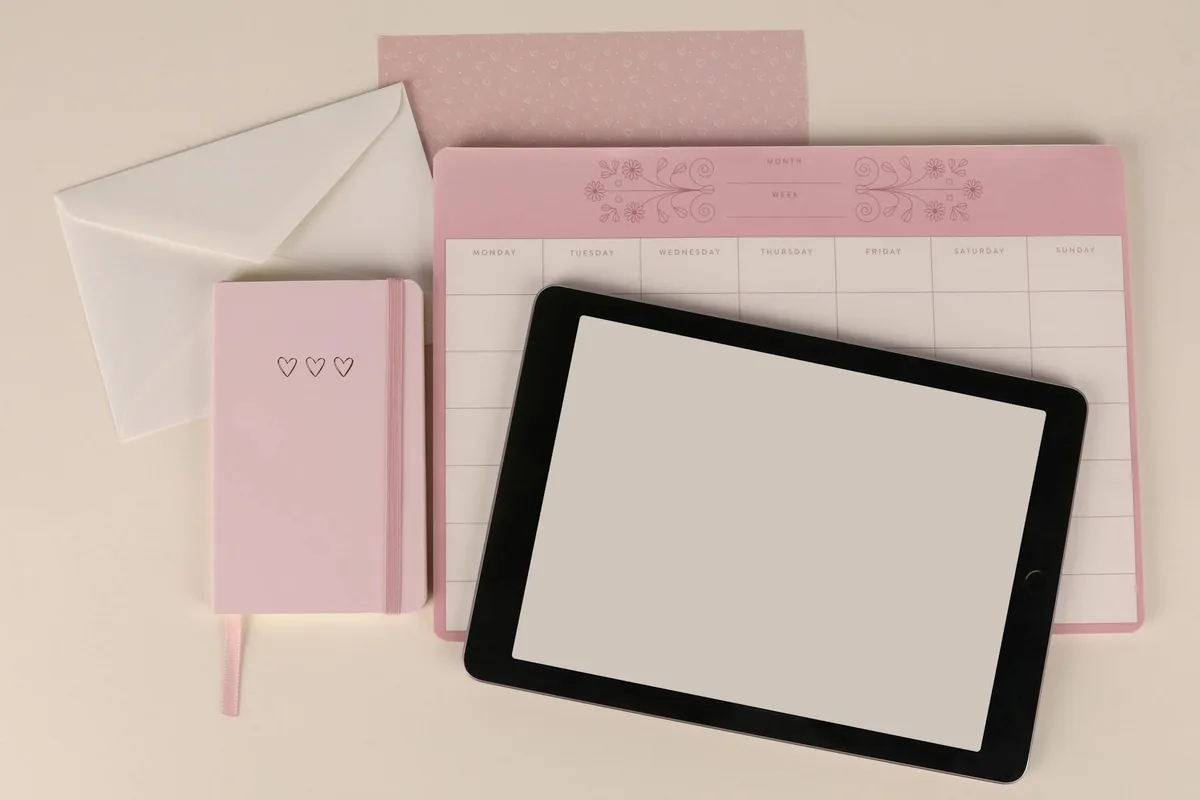
Printables are downloadable digital files — typically PDFs, PNGs, or JPGs — that buyers print at home or at a local print shop. No inventory or shipping is required. The seller creates the file once; every sale is a copy of the same download. Common types include planners, checklists, wall art, worksheets, and journal pages.
The economics are straightforward. You spend a few hours designing in Canva (free tier works), upload the file to a marketplace, write a listing, and wait for sales. The platform handles the payment and delivery automatically.
What makes printables attractive compared to other digital product types:
- Zero fulfillment. No packaging, no shipping, no customer service for lost orders.
- Low production time. A basic checklist or planner page takes 1–4 hours in Canva.
- Passive after listing. Once a listing is live, it sells without your involvement.
- Low risk. Etsy listing fees start at $0.20 per listing. You can test a product for under $1.
The trade-off: it is a crowded category. Generic planners and undifferentiated wall art are oversupplied. The sellers who earn consistent revenue focus on specific niches — wedding planning worksheets, budget trackers for nurses, homeschool lesson templates — not broad categories.
For a step-by-step guide on actually building the product, see our guide to creating printables to sell. This article focuses on the selling side.
What Do You Need Before You Can Start Selling Printables?
Most creators overcomplicate the setup. The requirements are genuinely minimal.
To sell printables, you need three things: a design tool (Canva’s free tier covers most use cases), a marketplace account (Etsy is free to join), and a finished print-ready file (PDF for planners and worksheets, PNG at 300 DPI for wall art). No business license, LLC, or design degree is required to list your first product.
Here is the minimum viable setup:
Design tool. Canva is the most widely used tool among printable sellers because it has ready-made templates, the free tier is adequate for most products, and the export settings cover every file format platforms accept. Adobe Illustrator and Affinity Designer give more control over vector artwork, but neither is necessary for your first five products. If you already own Affinity Publisher or know InDesign, both produce higher-quality PDFs for complex documents like planners and workbooks.
Platform account. Etsy, Gumroad, and Payhip each have free-to-join options. Etsy charges $0.20 per listing plus a 6.5% transaction fee per sale. Gumroad charges 10% per sale with no monthly fee. Payhip offers a free plan at 5% per sale, or $29/month for 2% fees. All three handle file delivery automatically — the buyer pays, the file downloads, and you receive the money.
Your finished file. Most printable sellers deliver PDFs. For wall art or photography prints, PNG at 300 DPI is the standard. The file must be fully print-ready before you list — no watermarks, no placeholder text, no draft-mode artifacts. Test-print the file yourself before publishing to confirm it prints at the correct size.
Optional but worth having. A mockup showing the product in use. Canva has built-in mockup frames for most standard sizes. Free tools like Smartmockups let you drop your design into a photo of a printed version on a desk or a pinned wall. Listings with realistic mockups consistently outperform listings with flat file screenshots, because buyers picture themselves using the product.

Which Platform Should You Use to Sell Printables?
Platform choice affects your fees, your audience reach, and how much marketing work you have to do yourself.
Etsy is the default starting platform for printable sellers because its 90M+ active buyer marketplace provides built-in search traffic. Gumroad and Payhip are better for creators who already have an email list or social audience and want to keep more per sale. A self-hosted store (Shopify, WooCommerce) maximizes margin but requires you to generate all your own traffic.
| Platform | Listing Fee | Transaction Fee | Built-in Audience | Best For |
|---|---|---|---|---|
| Etsy | $0.20/listing | 6.5% + payment processing | Yes — 90M+ buyers | Beginners, marketplace traffic |
| Gumroad | None | 10% per sale | No | Audience-backed creators |
| Payhip | None | 5% (free plan) | No | Email list sellers, low volume |
| Shopify | None | 0–2% (+ $29–$79/mo plan) | No | High-volume sellers, brand builders |
| Creative Market | None | 40% commission | Yes — design-focused | Designers with template-heavy catalogs |
The practical answer for most beginners: Start on Etsy. The marketplace sends you buyers without any marketing effort. Once you understand what sells and have a handful of reviews, add Gumroad or your own site as a second sales channel. Splitting traffic too early, before you have a proven product, is a common mistake that slows everything down.
For a detailed fee comparison with real dollar calculations across seven platforms, see our complete guide to where to sell printables online.
How Do You Create a Printable That People Actually Buy?
Design quality matters less than most beginners expect. Niche specificity matters more.
The printables that sell consistently solve a specific, named problem for a specific person. “Budget tracker for DINK households” outperforms “budget tracker” because it matches a narrower query with less supply. Start with a niche you understand, keep the design clean and readable rather than decorative, and export at the correct resolution (300 DPI for print products).
The creation process in five steps:
1. Pick a specific niche. Open Etsy and search your target category. Look at the top listings. Sellers earning consistent reviews are not making generic products. “Homeschool week planner for ages 8–12” ranks in a subcategory where “weekly planner” drowns in supply. The narrower the niche, the lower the competition and the higher the intent of the buyer.
2. Choose your file format. Standard printable formats and their use cases:
- A4 or US Letter PDF — planners, checklists, journals, worksheets, trackers
- 8×10 or 11×14 PNG — wall art, inspirational prints, nursery art
- Square (5×5, 8×8) — Instagram-compatible prints, gift tags, stickers
- 5×7 — greeting cards, invitations, note cards
- A5 PDF — compact planners, pocket-size trackers
When targeting both US and international buyers, include both US Letter and A4 versions of the same design. The additional export takes two minutes and eliminates a common reason for refund requests.
3. Design with readability first. In Canva, start from a template that matches your format, or a blank canvas if you have a specific structure in mind. Use clear hierarchy: the most important element (title, heading) should be visually dominant. Leave enough white space that the printed version is easy to use with a pen. Avoid decorative script fonts in functional documents like trackers and checklists — they are hard to read when filling in by hand.
4. Export correctly. For PDFs: File → Download → PDF Print. For PNGs: File → Download → PNG. If you need 300 DPI output and are on the free plan, Canva’s free exports default to 96 DPI for PNG — this is insufficient for print quality. Canva Pro unlocks the 300 DPI option, or export as PDF Print (which renders at print quality regardless of plan) and convert using a free online converter.
5. Add a buyer instructions page. Append a second page to your PDF explaining what the buyer receives, what sizes are included, and how to print at their local print shop. Specify paper size, orientation (portrait or landscape), and whether “fit to page” should be selected in the print dialog. Buyers who understand what they downloaded leave better reviews and generate fewer support messages.
How Do You Price and List Your Printable?
Pricing too low is the most common mistake new printable sellers make. Low prices attract review-hunters, not repeat buyers, and make it harder to raise prices later without losing ranking.
Most printable sellers price individual products at $3–$9 and bundles at $10–$25. The highest-margin approach is to launch individual items at $4–$5 to accumulate reviews, then raise prices once social proof is established. Bundles of five to ten related printables at $14–$19 consistently generate higher revenue per visitor than individual listings because the perceived value is higher relative to the price.
Pricing benchmarks by category:
| Type | Individual Price | Bundle (5–10 items) |
|---|---|---|
| Planner pages | $3.50 – $5.00 | $12 – $18 |
| Worksheets | $2.50 – $4.50 | $10 – $14 |
| Wall art prints | $3.00 – $6.00 | $15 – $22 |
| Invitations and stationery | $5.00 – $9.00 | $18 – $28 |
| Journals and trackers | $4.00 – $8.00 | $14 – $22 |
These ranges are based on analysis of active Etsy listings with established review histories, not outlier shops.
Writing the listing. Your title should include the primary keyword, the use case, and a differentiator. “Printable budget tracker for couples | undated, A4 and US Letter included” tells the buyer exactly what they get and matches more specific queries than “printable budget tracker” alone. Etsy’s search algorithm weights the first 40 characters of the title heavily.
Your description should answer three questions every buyer asks before purchasing:
- What exactly do I receive? (file formats, page count, sizes included)
- How do I use this? (printing instructions, software requirements if any)
- Can I customize it? (if yes, which tool they need and what is editable)
Listing images. Use all 10 image slots Etsy allows. Show the product printed and in use, show a close-up of the design details, show a “what’s included” breakdown image listing every page or file, and show the product in a lifestyle context — on a desk, pinned to a wall, in a planner binder. Listings with 7–10 images earn more clicks than listings with 1–3 in every category.
For a full walkthrough of Etsy listing optimization for printables, see our Etsy printables selling guide.
How Do You Get Your First Printable Sale?
The first sale is the hardest. Etsy’s search algorithm favors listings with reviews, which creates a cold-start problem for new shops.
New printable sellers on Etsy get their first sales through three reliable tactics: running a 20% launch discount for the first 30 days to attract price-sensitive buyers, driving traffic from Pinterest (which sends significant volume to printable listings at no cost), and testing Etsy’s paid search ads at a $1–$3/day budget to surface the listing before organic rankings develop.
Want to figure out what to sell before you invest time designing? The Digital Product Idea Scorecard helps you rate product ideas across six dimensions in five minutes. Free. No pitch at the end.
Three paths to your first sale without paid ads:
Pinterest. Pinterest is the highest-performing free traffic source for printable sellers. Per analysis of active Etsy seller forums and printable community discussions, Pinterest drives meaningful traffic to Etsy listings in the planners, worksheets, and wall art categories. Create 2–3 Pinterest pin graphics for each product (portrait format, 2:3 ratio, text overlay describing what the product solves). Pin your products to relevant boards, and consistently pin other creators’ content in the same category to build topical authority on the platform.
Price promotions at launch. A 20% discount in your first 30 days displays as a sale price in search results, which draws clicks before your listing has any reviews. Once you have five to ten reviews, remove the discount and monitor click-through rate. A listing with reviews performs better at full price than the same listing at a discount with no reviews.
Friends and family review seeding — the right way. Asking someone you know to purchase your product at full price is legitimate. Having them write a fabricated positive review for a product they did not actually use violates Etsy’s terms of service and risks a permanent ban. The former gets you an honest review. The latter is not worth the risk.
How Much Can You Realistically Make Selling Printables?
The income range for printable sellers is wide, and most projections online are misleading.
Most beginner printable sellers earn $0–$50 per month in their first 90 days while listings accumulate reviews and search ranking. Sellers with 20–50 focused listings and 100+ reviews report monthly revenue in the $300–$2,500 range. Top sellers in competitive niches such as wedding stationery and educational worksheets report $3,000–$8,000 per month after 12 or more months of consistent listing — these figures come from analysis of publicly visible Etsy shop review histories and pricing.
Revenue is driven by four variables: number of live listings (more SKUs means more search entry points), niche competition level, review count, and seasonal demand patterns. A catalog of 25–50 focused products in one niche consistently outperforms 10 listings spread across unrelated categories.
The fastest path to $500/month from printables, based on patterns across high-performing Etsy shops:
- Choose one niche with identifiable buyer demand (use Etsy search to confirm people are actively looking)
- Publish 20–30 listings in that niche within 60–90 days
- Build bundles that combine related single items at a 30–40% discount versus buying separately
- Use Pinterest consistently to drive external traffic to your listings
For realistic revenue benchmarks broken down by printable category, the Etsy printables guide covers six types with price ranges and monthly revenue estimates from established sellers.
Frequently Asked Questions
How do I start selling printables with no design experience?
Use Canva’s free template library as your starting point. Canva provides thousands of printable templates for planners, trackers, and wall art. Customize colors, fonts, and text to make the design your own. Most active printable sellers started with templates before developing original designs. No prior design training is required to produce a sellable product.
Which platform pays the most per printable sale?
Payhip’s free plan charges 5% per sale, making it the lowest-fee option among platforms that require no upfront subscription. Gumroad charges 10% per sale. Etsy charges 6.5% plus a $0.20 listing fee per item and payment processing fees, which typically brings the effective rate to around 10–13% per transaction. Shopify on a paid plan charges 0–2% transaction fees but requires $29–$79 per month regardless of sales volume.
Do I need an LLC to sell printables online?
No business entity is required to list your first product. Most solo printable sellers operate as sole proprietors using a personal bank account. A formal business structure becomes worth considering when revenue grows and you want liability protection or cleaner business tax records. The threshold for this varies by country and income level — a local accountant can clarify when it applies to your situation.
How long does it take to make the first printable sale on Etsy?
New sellers relying entirely on Etsy search typically see their first sale within 2–8 weeks with an optimized listing. Sellers who also drive Pinterest traffic often see first sales within a few days of listing. A 20% launch discount shortens the time to first sale by drawing clicks before the listing has accumulated reviews. Keyword-rich titles and complete listing descriptions are the highest-leverage variables in the first 30 days.
Can I sell the same printable on Etsy and Gumroad at the same time?
Yes. You own the file you created and can list it across multiple platforms simultaneously — Etsy, Gumroad, Payhip, and your own website. No exclusivity requirement applies on any major printable selling platform. Most sellers start on one platform and expand once they have a proven product with an established review base.
Keep Reading
What to Do Next
Choose the path that fits where you are right now.
Score Your Ideas
Answer a few questions about your skills, audience, and goals. Get a product type and selling platform matched to you.
Take the QuizGet Weekly Tactics
One tip, one tool, one case study. Every Tuesday.
Free. No spam. Unsubscribe anytime.